.png)
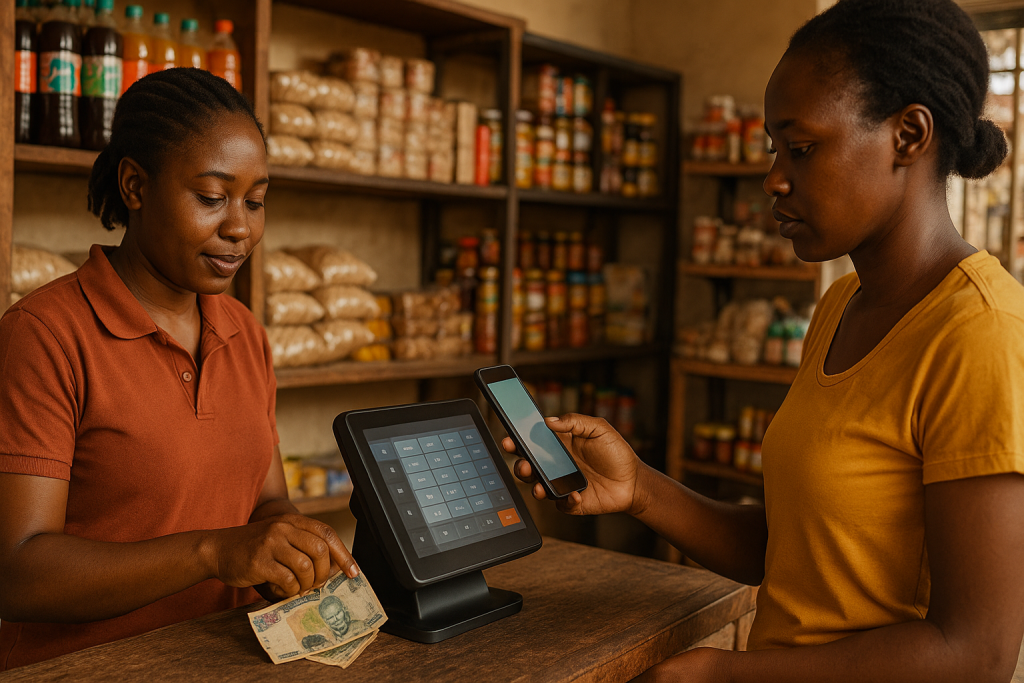
Zambia’s retail scene is going cash-lite at record speed. Mobile-money volumes hit K486 billion in 2024 and POS transactions jumped 30 % the same year. If you run a grocery, boutique, salon, or hardware store, the right POS system for small businesses in Zambia now determines how smoothly you collect payments, stay tax-compliant, and grow profits.
Why Every Zambian SME Needs a Modern POS
-
Customers expect choice. Airtel, MTN and Zamtel wallets sit alongside Visa and Mastercard in most pockets. Refusing a payment option costs sales.
-
Tax compliance is mandatory. Since 1 October 2024, VAT-registered firms must e-invoice through ZRA’s Smart Invoice platform. Only POS systems that link to the Virtual Sales Data Controller (VSCD) will protect your input-VAT claims.
-
Data drives decisions. Real-time dashboards reveal peak hours, best-selling items, and cash-flow trends—insights that manual cashbooks never show.
Understand Your POS Options
| Model | Best For | Key Pros | Key Cons | | Cloud-based POS | Multi-branch retailers & hybrids with e-commerce | Access anywhere, automatic updates, subscription spreads cost | Needs reliable internet | | On-premise POS | Large single-site stores with IT staff | Works offline, fully customisable | High upfront cost, self-maintenance | | Mobile POS | Market stalls, pop-ups, delivery teams | Runs on a phone/tablet, tiny setup cost | Limited screen & inventory tools | | E-commerce-first POS | Online shops adding physical outlets | Seamless stock sync, omnichannel loyalty | Extra hardware for in-store use |
Five Stand-Out POS Systems for Small Businesses in Zambia
1. Odoo POS (Cloud or Self-hosted)
-
Why choose it? Full ERP suite—inventory, accounting, CRM and e-commerce in one. ZRA-approved connector out of the box.
-
Price: SaaS from ≈ ZMW 550/month per user, or free Community Edition plus hosting.
-
Best for: Growth-minded SMEs that want end-to-end visibility.
2. ElitePOS
-
Why choose it? Turn-key packages with hardware, setup, and staff training bundled in a single invoice or rental.
-
Price: Hardware-rental plans ≈ ZMW 150–400/week; perpetual licences also available.
-
Best for: Busy shop owners who prefer a “done-for-you” solution.
3. Izwe Pay
-
Why choose it? One handheld terminal accepts cards and all major mobile-money wallets. Funds settle to your bank or wallet.
-
Price: Free hardware on sign-up; you pay 1.5 %–3.5 % per transaction.
-
Best for: High-foot-traffic stores that need speedy, space-saving checkout.
4. ZPOS Mobile
-
Why choose it? Free Android app with offline mode—perfect for traders who sell at markets with patchy internet. Upgrade modules add inventory and analytics as you grow.
-
Price: Core app free; premium features from ≈ ZMW 120/month.
-
Best for: Micro-enterprises dipping a toe into digital sales.
5. Smart POS Software
-
Why choose it? One-time licence ≈ USD 499 unlocks unlimited users forever. Runs locally, so you control your data.
-
Best for: Owners who hate subscriptions and have basic IT support.
Cost Models Explained
-
Subscription (ZMW 300–800/terminal) – predictable monthly outlay; updates included.
-
Perpetual licence (USD 300–800 once-off) – lower lifetime cost if you self-maintain.
-
Hardware rental (ZMW 150–400/week) – zero upfront spend; ideal for pop-ups or seasonal outlets.
-
Transaction fees (1.5 %–3.5 %) – pay only when you sell; watch total cost if volumes soar.
Quick-Start Implementation Checklist
-
Audit your needs: List payment types, average daily transactions, inventory size, and integration wishes (e.g., QuickBooks).
-
Check infrastructure: Stable fibre or LTE? Backup power? Counter space for a terminal and receipt printer?
-
Insist on ZRA proof: Ask suppliers for their Smart Invoice approval letter and a live demo.
-
Pilot first: Run the new POS alongside your current process for two weeks; compare speed and accuracy.
-
Train super-users: Pick two staff champions; give them extra coaching so they can guide colleagues.
-
Roll out in phases: Launch on your quietest day or at your smallest branch, fix hiccups, then expand.
-
Review after 30 days: Tweak user rights, reorder points, and report layouts based on real-world feedback.
Maximising Your Return
-
Use analytics weekly to adjust staffing for peak hours and spotlight slow movers for promotions.
-
Launch a digital loyalty programme directly in the POS—customers earn points automatically, boosting repeat visits.
-
Automate re-ordering so fast-moving lines never run out while cash isn’t tied up in dusty stock.
Conclusion
Picking the best POS system for small businesses in Zambia is no longer a “nice-to-have.” It is the backbone of compliant invoicing, frictionless payments, and data-driven growth. Whether you opt for Odoo’s all-in-one power, Izwe Pay’s hybrid terminal, or ZPOS Mobile’s free starter app, follow a structured rollout and train your team well. Do that, and your POS will pay for itself through faster checkouts, happier customers, and tighter control of every Kwacha you earn.