.png)
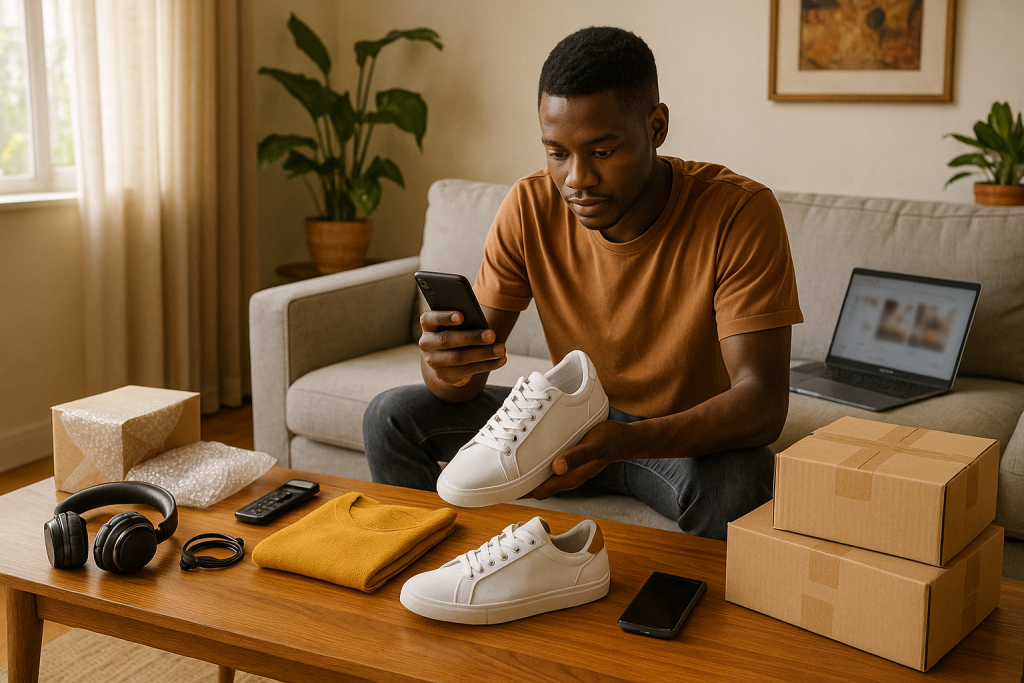
Facebook Marketplace has exploded in popularity across Zambia. Whether you live in Lusaka’s bustling CBD or a quiet Copperbelt town, the platform lets you post an item today and meet a buyer tomorrow—often within walking distance. This step-by-step guide shows you how to start selling on Facebook Marketplace in Zambia, avoid common pitfalls, and win repeat buyers.
Why Choose Facebook Marketplace?
-
Zero listing fees for local sales—every kwacha you earn is yours.
-
A built-in audience of 3 million+ Zambian Facebook users ready to browse.
-
Seamless cross-posting to buy-and-sell groups boosts visibility in seconds.
-
In-app messaging keeps negotiation fast and paper-free.
Because Marketplace already feels familiar, even first-time sellers can compete with established stores.
1. Set Up a Trust-Worthy Profile
-
Use a real photo. Faces inspire confidence.
-
Complete the “About” section. Add city and a brief bio so buyers know you are local.
-
Enable Facebook Protect (two-factor authentication) to deter scammers.
Pro tip: Before listing, make one or two friendly posts on your timeline—buyers often click your profile.
2. Access Marketplace
| Device | How to Open Marketplace | | Desktop | Click “Marketplace” in the left sidebar. | | Android / iOS | Tap the storefront icon in the bottom toolbar. |
If you cannot see the icon, change your Facebook language to English (UK), refresh, then switch back to English (ZM).
3. Create a High-Converting Listing
Step-by-Step
- Click Create new listing → Item for sale.
-
Shoot in daylight, front and back.
-
Include close-ups of any wear or defects.
-
Title: Keep it punchy – “Samsung Galaxy A54 (128 GB, Boxed)”.
-
Price (ZMW): Search similar listings; price 5–10 % lower for a faster sale.
-
Category: Accurate categories help Facebook suggest your item to buyers.
-
Condition & Brand: Honest details = fewer returns.
-
Location: Use a suburb name (e.g., “Ibex Hill, Lusaka”) so buyers gauge distance.
-
Description: Mention age, specs, extras (charger, case), and why you’re selling.
Transition word alert – Additionally, add keywords such as “phone for sale Lusaka” to appear in search
4. Publish, Promote, and Refresh
-
Preview your listing; typos erode trust.
-
Hit Publish.
-
Cross-post to niche groups (“Lusaka Electronics—Buy & Sell”).
-
Bump or “Renew” the listing every 7 days; it jumps back to the top of feeds.
5. Manage Inquiries Like a Pro
-
Respond within 30 minutes. Facebook labels quick responders.
-
Use polite, concise replies:
Buyer: Is it available?*
- You: Yes, still available. Collection in Woodlands. Price firm at K2 300.* **
-
Confirm serious intent—ask when they want to meet.
-
Politely decline lowball offers to maintain price integrity.
6. Arrange Safe Payment & Delivery
| Option | How It Works | Safety Tips | | Cash-in-hand | Meet in a public place (mall, filling station). | Count money before handing over the item. | | Mobile Money (Airtel, MTN, Zamtel) | Buyer transfers; you see “Transaction Successful” SMS. | Use your own phone and screenshot the receipt. | | Courier (within Zambia) | Buyer pays courier fee + item price upfront. | Only ship after funds clear. |
Never share your NRC, PIN, or one-time codes.
7. Complete the Sale
-
Inside the listing, tap Mark as Sold → Buyer found on Marketplace.
-
Thank the buyer via Messenger; a friendly goodbye encourages positive ratings.
-
Keep receipts/screenshots for tax or warranty purposes.
8. Advanced Tips to Outsell Competitors
-
Bundle deals: Offer “Buy 2, get K50 off” on fashion items.
-
Seasonal timing: List heaters in May, fans in October—demand peaks.
-
Keyword stacking: Repeat key specs (“128 GB, Android 14, 50 MP camera”) in bullet points.
-
Sponsored boost: For high-ticket items (car, laptop), spend K30–K50 to reach thousands more buyers.
-
Post-sale upsell: Add a business card; invite buyers to follow your page for future deals.
9. Common Mistakes (And How to Avoid Them)
| Mistake | Consequence | Fix | | Blurry photos | Low views | Re-shoot in daylight, clean lens | | Overpricing | Listing stagnates | Reprice every 3 days if no interest | | Ghosting buyers | Star rating drops | Use the “Quick Replies” tool | | Ignoring scams | Lost money | Meet in daylight, verify payment |
10. Frequently Asked Questions
Q: Does Facebook charge seller fees in Zambia?** ** A: No. Local, in-person sales are free.
Q: Can I sell brand-new imported goods?** ** A: Yes, but disclose that items are new and verify you hold the stock.
Q: What items are prohibited?** ** A: Guns, pharmaceuticals, counterfeit goods, and animals. Review Facebook Commerce Policies before listing.
Key Takeaways
-
Build trust first—complete profile + quality photos.
-
Optimise every listing with clear titles, correct categories, and honest details.
-
Respond fast and meet safely; cash or mobile money are king.
-
Refresh and cross-post to stay visible.
-
Follow up and mark items sold to maintain a top seller rating.
With these practices, selling on Facebook Marketplace in Zambia shifts from side hustle to steady income.